
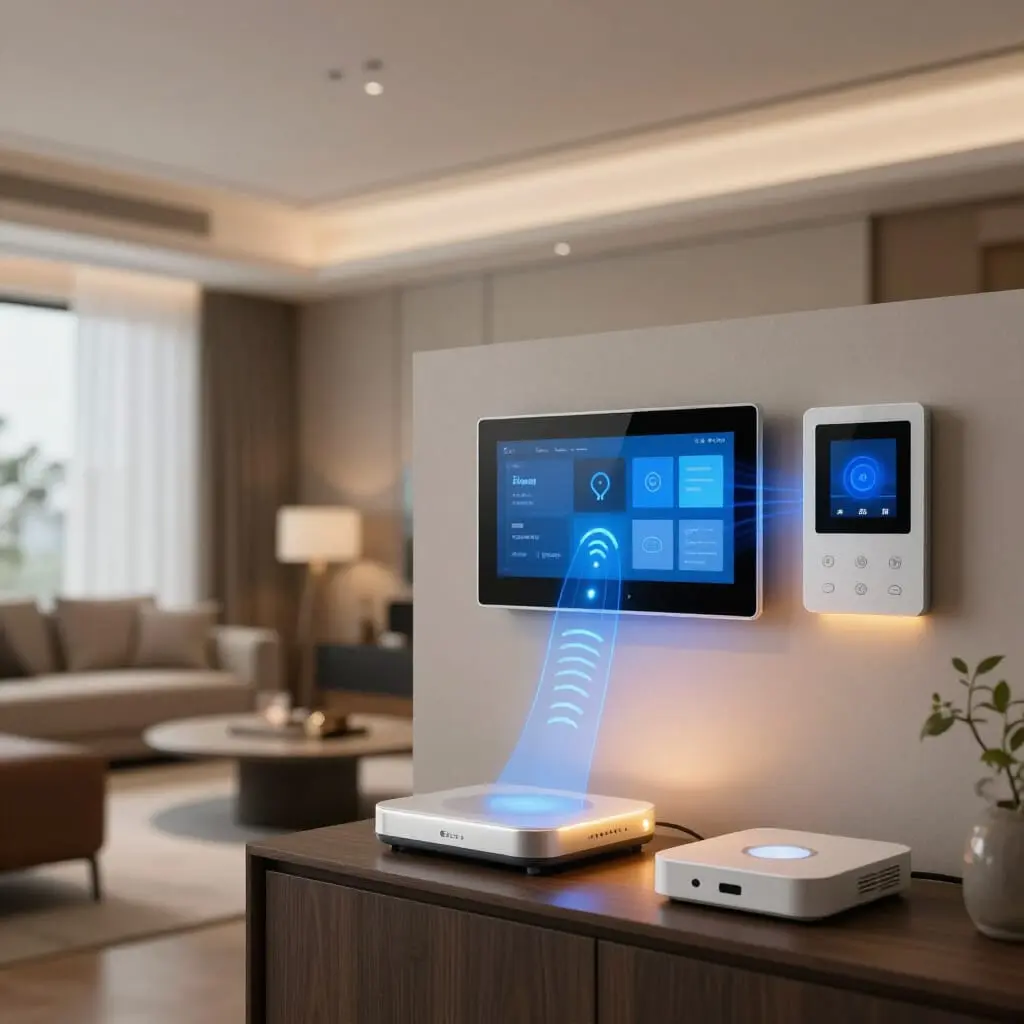
Smart Home: Wi-Fi, Zigbee, or Matter? The Technical Comparison to Help You Choose
- Wi-Fi is best for data-heavy devices (cameras, video doorbells) but can quickly congest your network and drain the batteries of small gadgets.
- Zigbee creates a low-energy local mesh network, ideal for bulbs, plugs, and sensors, but requires a dedicated hub.
- Matter is not a competitor to the other two: it is a unification layer that allows them to communicate across Google, Apple, Amazon, and Samsung ecosystems.
- No single protocol “wins” on its own: a reliable smart home usually combines Zigbee for sensors and Wi-Fi for video devices, all coordinated via Matter.
- A multi-protocol hub (Zigbee + Thread + Matter) is currently the safest investment to avoid obsolescence in a few years.
You want to equip your home with smart bulbs, plugs, or sensors, but every product page shows a different logo: Wi-Fi, Zigbee, or more recently, Matter. The question isn’t which technology is “the best,” but which one fits each specific use case. Wi-Fi focuses on ease of installation and power; Zigbee focuses on battery life and the reliability of a local mesh network; Matter focuses on interoperability between brands and voice assistants. In practice, most budget-conscious homeowners who upgrade their homes progressively end up using all three simultaneously without even realizing it. This comparison breaks down how each protocol actually works, their concrete limitations, and the most sensible combination based on your budget and the types of devices you plan to install.
Wi-Fi: The Simplest Solution, but Not for Everything
Wi-Fi has one obvious advantage: it’s the network you already have. A Wi-Fi bulb or plug connects directly to your router without the need to buy or configure an additional hub. This explains the success of entry-level consumer brands often found in big-box stores, which rely on this simplicity to attract buyers who aren’t familiar with home automation.
The downside appears as the number of devices grows. A standard home router isn’t designed to handle dozens of connected objects simultaneously. Every Wi-Fi bulb, plug, or sensor consumes an IP address, a connection slot, and a portion of the bandwidth, even when transmitting almost no data. Once you hit about fifteen Wi-Fi devices, many users experience random disconnections, bulbs that “forget” the network after a power outage, or a general slowdown of the internet connection.
The other limitation is battery life. Wi-Fi is an energy-hungry protocol because it maintains an active connection to remain reachable. This is perfectly fine for mains-powered devices—like a smart plug, a camera, or a thermostat—but disastrous for a battery-powered door or temperature sensor, whose battery life drops to a few weeks instead of several years.
In practice, Wi-Fi makes total sense for devices that exchange large amounts of data (camera video feeds, smart doorbells, smart speakers) or those that are permanently plugged in. It becomes a poor choice for multiple battery-powered sensors or any network that needs to remain stable with thirty or more objects.
Zigbee: The Mesh Network Designed for Home Sensors
Zigbee was designed specifically to address the weaknesses of Wi-Fi in home automation. It operates on a separate frequency band (2.4 GHz, but with a different radio protocol, short range and low data rates), specifically designed to transmit small amounts of data with minimal energy consumption. A Zigbee motion or contact sensor can last several years on a single coin cell battery, whereas a Wi-Fi equivalent would last a few weeks.
Its most useful technical feature is “meshing”: every mains-powered device (bulb, plug) acts as a relay for other members of the network. The more Zigbee bulbs you add to your home, the more robust and expansive the network becomes, as each new device strengthens coverage rather than taxing it. This is the opposite of Wi-Fi, where every additional device slightly degrades overall performance.
The main drawback of Zigbee is that it requires a hub—a physical gateway that translates Zigbee communication into your home network and your control app. This hub represents an additional cost and a setup step, which is why Zigbee was long perceived as being for “tinkers” rather than the general public.
Another point of caution: historically, not all Zigbee brands have been perfectly interoperable, even if they use the same radio protocol. Some manufacturers added proprietary layers that limit a hub’s compatibility to its own devices. This is precisely one of the problems Matter aims to solve, without replacing the underlying Zigbee protocol, which remains widely used for the “last mile” between the hub and the sensors.
Matter: A Unification Layer, Not a Third Radio Protocol
Matter is often mistakenly presented as a direct competitor to Wi-Fi and Zigbee. In reality, it is a software layer that sits on top of existing networks—Wi-Fi, Ethernet, or Thread (a mesh protocol similar in philosophy to Zigbee)—to allow devices from different brands to work with any voice assistant or smart home app without needing a proprietary gateway for every ecosystem.
Concretely, before Matter, a bulb certified only for one manufacturer’s ecosystem might be incompatible with Google Home or Apple Home without an additional bridge. Matter changes this: a Matter-certified device can be added simultaneously to Google Home, Amazon Alexa, Apple Home, and Samsung SmartThings with a single initial configuration. The standard is governed by the Connectivity Standards Alliance, a group of over 550 tech and home automation companies, indicating broad industry adoption rather than a passing trend.
For the end user, the main benefit of Matter isn’t radio performance—it doesn’t invent anything new there, as it relies on Wi-Fi or Thread—but freedom of choice. You can buy a Matter bulb without knowing which voice assistant you’ll be using in two years, and switch ecosystems without having to replace all your hardware.
The current limitation is the maturity of the installed base: not all previously purchased devices are Matter-compatible, and updates depend on the manufacturer—sometimes via a simple software update, sometimes not at all for older hardware.
Comparison Table: Range, Power, Cost, and Security
Regarding range, Zigbee wins thanks to meshing: each relay device extends coverage, meaning a multi-story house can be covered without a dedicated repeater, provided there are enough mains-powered devices. Wi-Fi depends entirely on the power of your router or mesh repeaters and loses reliability in distant areas or behind thick walls.
Regarding energy consumption, Zigbee is vastly superior for battery-operated objects: a sensor can last one to two years without a battery change, compared to a few weeks for Wi-Fi. For plugged-in devices (plugs, standard bulbs), the difference in consumption between the two is negligible for the household.
Regarding entry cost, Wi-Fi is unbeatable: no hub to buy, the device connects directly to the router. Zigbee requires a hub, typically costing between $30 and $80 depending on the brand—an investment that pays off quickly if you plan to install dozens of objects.
Regarding security, the two protocols have different profiles: Wi-Fi exposes more devices directly to the home’s internet network, increasing the risk if an insecure object serves as an entry point. Zigbee, by staying on a separate local network managed by the hub, limits this attack surface, provided the hub itself is secure and kept up to date.
Finally, regarding latency, Zigbee generally responds faster for simple local commands (turning on a light, detecting motion) because the communication stays on the local network without traveling to a remote server, unlike many Wi-Fi devices that depend on the manufacturer’s cloud.
Which Protocol to Choose Based on Your Profile and Budget
For a household just starting out on a tight budget with two or three devices (a bulb, a plug, a camera), Wi-Fi alone is reasonable. There’s no hub to buy, setup takes ten minutes via a mobile app, and the number of devices is too low to saturate the home network.
Once the project expands to ten or more devices—lighting in multiple rooms, door sensors, motion detectors for an alarm or energy-saving scenario—investing in a Zigbee hub becomes cost-effective. The initial cost of the hub is offset by Zigbee devices that are often cheaper per unit than their Wi-Fi equivalents, better battery life, and a network that doesn’t degrade router performance.
For homeowners who want to future-proof their choice without worrying about the brand of the next voice assistant or device, prioritizing Matter-certified products limits the risk of ending up with an isolated object incompatible with the rest of the installation. This doesn’t mean you should skip a Zigbee hub for battery sensors: Matter and Zigbee are not mutually exclusive; they complement each other.
A useful roadmap for homeowners equipping their home gradually: start with Wi-Fi for the first few visible devices (camera, doorbell), then switch to a Matter-compatible Zigbee hub as soon as the project expands beyond one or two rooms. This progression avoids buying a hub too early without a justified budget, while anticipating growth.
Should You Stick to One Protocol or Combine Them?
The goal isn’t to choose a single protocol for the entire house, but to match each device type to the most suitable technology. A security camera or video doorbell needs Wi-Fi bandwidth to transmit a smooth video stream; a battery-powered temperature sensor has no reason to use that same bandwidth at the cost of ten times less battery life.
In reality, most mature smart home installations combine both radio networks: Wi-Fi for video and mains-powered devices, and Zigbee for sensors and lighting—all controlled from a single app thanks to Matter, which unifies the interface and control regardless of the radio protocol used behind the scenes.
One point of caution before buying a hub: not all of them support all three technologies. Some hubs are limited to Zigbee without a Matter gateway; others add Thread (the mesh protocol native to Matter, distinct from Zigbee but similar in philosophy). A recent survey of nearly 300 smart home devices shows that effective compatibility with major ecosystems (Apple Home, Alexa, Google Home, SmartThings, Home Assistant) still varies significantly by brand, confirming that it’s better to check the exact technical specs than to rely solely on the “Matter” logo on the box.
Common Pitfalls When Choosing a Protocol
The first pitfall is buying a cheap Zigbee hub without checking for Matter compatibility, thinking you can migrate later for free. Some older hubs will never receive a Matter update due to incompatible chips, forcing you to buy a new hub—and sometimes reconfigure your entire sensor network.
The second pitfall is mixing too many low-end Wi-Fi devices without monitoring the router load. Some consumer routers have low limits on simultaneous clients that aren’t clearly stated in their marketing. A tell-tale sign: bulbs that randomly become unreachable, or a router that must be restarted regularly to stabilize the system.
The third pitfall is confusing Zigbee and Z-Wave: these two low-energy mesh protocols are not interoperable, despite similar uses. A Z-Wave device will never work with a Zigbee hub, and vice versa. Checking the exact protocol on the product sheet, rather than the generic term “wireless” or “connected,” prevents useless purchases.
Finally, a common misconception: believing that Matter makes Zigbee or Wi-Fi obsolete. This is not the case. Matter relies on these radio networks to function; it does not replace them. A “Matter” hub or device without an indication of the underlying radio protocol (Wi-Fi, Thread, or Ethernet) warrants a second look before purchase, as actual range and power consumption depend on the radio layer, not the Matter logo.
What Will Change with Matter and Thread in the Coming Years
The Matter standard continues to evolve through successive versions, each expanding the categories of supported devices: after bulbs, plugs, and sensors, recent versions are progressively covering smart locks, cameras, thermostats, and certain heating equipment. This gradual expansion explains why some devices bought today aren’t yet Matter-certified in their specific category, even if the product is high-quality.
The Thread protocol, often mentioned alongside Matter, deserves clarification: it is a low-energy mesh network, similar in philosophy to Zigbee, but natively designed to integrate with Matter and operate on IPv6, making it directly reachable from the internet without a complex proprietary gateway. Some manufacturers already offer Thread hubs and devices instead of Zigbee, betting on this better native integration with Matter.
For a household equipping its home today, this change doesn’t justify waiting: Zigbee remains widely available, economical, and reliable, and most recent hubs already include a Matter gateway that allows for interoperability without needing to replace everything with Thread. The most sensible recommendation remains to prioritize a hub that clearly announces active Matter compatibility, rather than trying to guess which radio protocol will dominate in five years.
Is Wi-Fi enough for a small smart home?
Yes, for two to five mains-powered devices like a camera or a plug. Beyond that, it’s better to switch to a Zigbee hub to avoid saturating your router.
Are Zigbee and Z-Wave compatible with each other?
No. They are two distinct and non-interoperable radio protocols: a Z-Wave device cannot be controlled by a Zigbee hub, and vice versa.
Does Matter replace Wi-Fi or Zigbee?
No, Matter builds upon these existing radio networks (Wi-Fi, Thread, Ethernet) to unify device control across different brands and voice assistants without replacing the hardware.
Do I need a hub to use Zigbee?
Yes, a Zigbee hub is essential to translate the mesh network communication to your control app and home network.
Can an old Wi-Fi device become Matter-compatible?
It depends on the manufacturer: some devices receive a software update that adds Matter compatibility, while others never will due to incompatible hardware.
Why do my battery-powered Wi-Fi sensors die so quickly?
Wi-Fi maintains an active connection at all times, which consumes a lot of energy. An equivalent Zigbee sensor, designed for low consumption, typically lasts several times longer on the same battery.
What is the difference between Thread and Zigbee?
Both are similar low-energy mesh networks, but Thread is natively designed for Matter and IPv6, whereas Zigbee requires a gateway to communicate with Matter.
How much does a Zigbee and Matter-compatible hub cost?
Prices typically range between $30 and $80 depending on the brand and features—an investment that pays off once you have about ten devices installed.
Sources
- 01net — Understanding Matter and connected home products
- Domatch — 2026 Smart Home Compatibility Barometer
- Touteladomotique — Zigbee, Matter, Wi-Fi: Which protocol to choose
- Matériels électriques — Guide to choosing your smart home protocol
- Wikipedia — Matter (standard)

D'autres conseils Electrical Systems & Smart Home
 →
Smart Home Energy Savings: What Actually Works
Discover which smart home solutions truly reduce your energy bills. We analyze smart thermostats, plugs, and more for real savings and ROI.
Lire l'article → →
5 Warning Signs of a Dangerous Electrical Installation
Learn how to spot a dangerous electrical installation: tripping breakers, blackened outlets, and exposed wires. Essential safety tips and advice.
Lire l'article → →
Smart Home Room by Room: A Step-by-Step Guide
Learn how to build your smart home room by room. A practical guide to home automation that fits your budget and simplifies your setup.
Lire l'article → →
Add Electrical Outlets Without a Full Rewire: Easy Methods
Learn how to easily add electrical outlets using daisy-chaining, surface trunking, or junction boxes. Practical solutions and cost breakdowns included.
Lire l'article →