
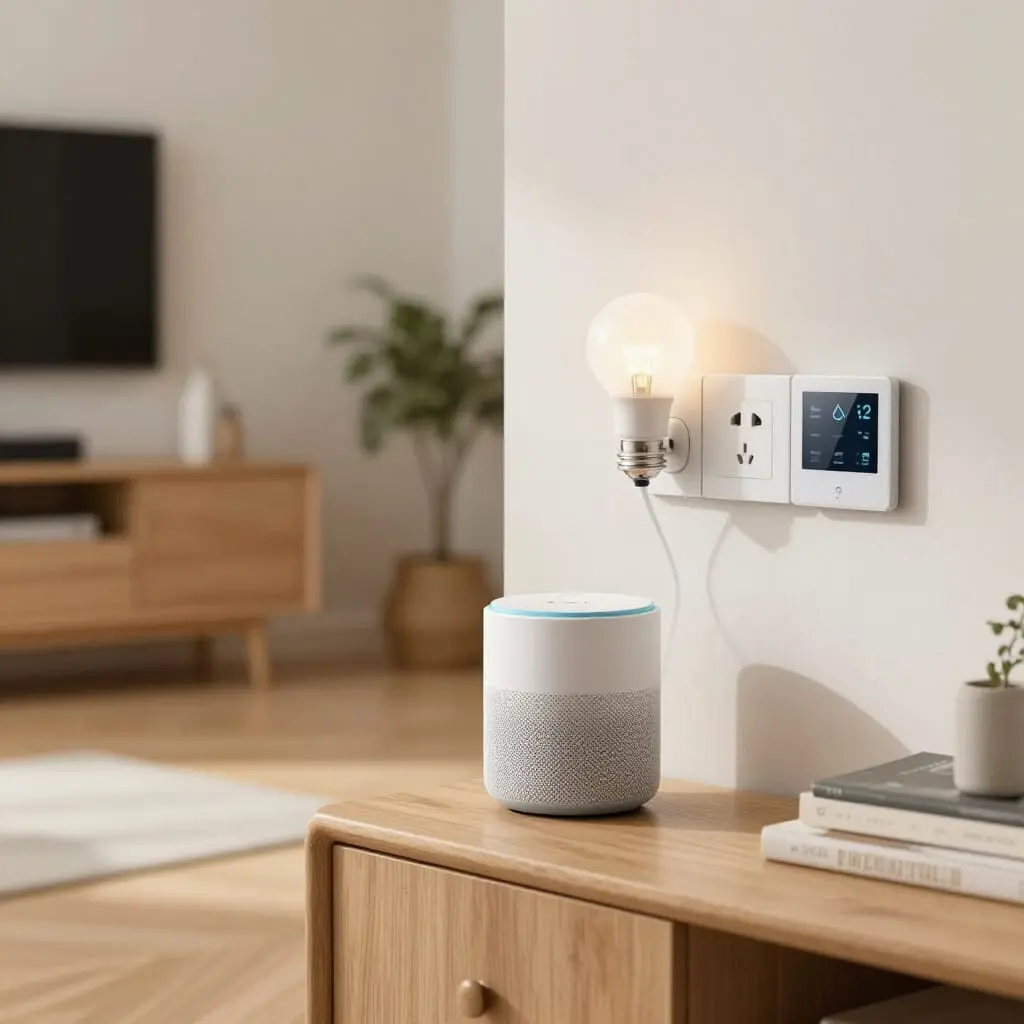
Smart Home for Beginners: Where to Start?
- Start with a single, simple device (smart bulb or plug) before investing in a full system.
- A central hub (voice assistant or smart bridge) isn’t mandatory at first, but becomes useful once you have two or three devices.
- Wireless options (Wi-Fi, Zigbee, Matter) are the most accessible entry points, requiring no electrical work or specialized skills.
- A reasonable starting budget is between $50 and $200 to test the waters before expanding your installation.
- Lighting, plugs, and blinds are the areas that provide the most immediate comfort for beginners.
When people search for “where to start with a smart home,” they are usually looking for a simple answer to a complex question: which gadget to buy first, whether a hub is necessary, and how much it will cost. The answer is simple: start small. Begin with a single, easy-to-install wireless device before thinking about a complete ecosystem. A smart bulb or a plug-in socket is enough to understand how a routine works, how a voice assistant reacts, and whether the technology actually fits into your daily life. This first test, which rarely costs more than $30, prevents the most common beginner mistake: buying a complete kit before knowing what you actually want to automate.
The First Practical Step: Test Before You Invest
The temptation when discovering home automation is to equip everything at once: lighting, blinds, heating, and security. This is exactly the mistake that discourages most beginners after a few weeks, once they are faced with incompatible apps or a budget that explodes faster than expected.
The best approach is to isolate a single “friction point” in your daily routine and solve it with one device. A smart bulb in a bedside lamp or a smart plug connected to the coffee maker is enough to learn three essential things: how the device connects to your Wi-Fi, how it is controlled via an app or voice command, and how it behaves within a programmed routine.
This real-world test quickly reveals the actual constraints of your home: Wi-Fi signal strength in rooms far from the router, compatibility with your smartphone, and the ease of use of the app. These insights guide all subsequent choices far better than theoretical research into protocols or brands.
Only after validating this first building block—and only if the usage convinces you—does it make sense to expand to a second or third device. Many beginners skip this step and end up with a drawer full of smart gadgets that are never installed because they didn’t test their actual utility before purchasing.
Choosing a Hub or Voice Assistant to Centralize Your Home
A smart home hub is the central element that receives commands and coordinates devices. For your very first connected object, it isn’t indispensable: a Wi-Fi bulb or plug is controlled directly via its own app. However, as soon as you add a second or third device from different brands, a hub becomes necessary to avoid juggling between multiple applications.
Three options dominate the consumer market for beginners. Mainstream voice assistants, which combine a connected speaker with a central control system, offer the advantage of being easy to configure and compatible with most connected appliance brands. They allow you to create voice routines like “Goodnight,” which turns off the lights and lowers the heat in a single command.
Dedicated smart home controllers, aimed at users planning a more advanced installation, offer more control and compatibility with wired or semi-professional protocols, but they require a longer learning curve and a higher entry budget.
Finally, some manufacturers offer intermediate solutions designed to connect the first few devices quickly without deep technical configuration, using a step-by-step guided interface. For a beginner without prior technical skills, the most reasonable choice remains a solution that can be installed and configured in under an hour, without touching code or modifying the existing electrical wiring.
The choice of hub partly dictates future purchases, as not all connected objects are compatible with every ecosystem. Therefore, it is better to make this choice relatively early, though it should not be a prerequisite for the very first test mentioned above.
Wireless vs. Wired: Which Option for a Stress-Free Start?
The debate between wired and wireless systems always comes up, but the question is different for a beginner than it is for someone building a new house.
Wired home automation, which relies on dedicated cabling integrated into the walls, offers superior reliability and longevity, as it doesn’t depend on radio signals or battery replacements. However, it is reserved for new construction or major renovations, as it involves electrical work and the intervention of a qualified professional.
For a beginner who rents, isn’t planning renovations, or simply wants to test the waters, wireless is the logical entry point. Wi-Fi, Zigbee, or Matter-compatible devices can be installed in minutes without modifying the electrical system and are just as easy to move if you relocate.
The downside of wireless lies in the range and signal reliability in homes with thick walls or saturated Wi-Fi networks, as well as the need to manage batteries for sensors. These limits are manageable for beginner use focused on a few rooms and only become a real issue when the installation expands to the entire home.
In short, wired is for those building or deeply renovating, while wireless remains the most realistic gateway for anyone discovering smart home tech without a construction project.
Understanding Protocols Without Getting Overwhelmed: Wi-Fi, Zigbee, Z-Wave, and Matter
Communication protocols are often the first source of confusion for beginners, but they can be boiled down to a few simple distinctions when put into context.
Wi-Fi is the most intuitive protocol: each device connects directly to your internet router without additional hardware. It is the simplest choice for starting, but it consumes more energy and can congest your network if you add too many devices.
Zigbee and Z-Wave work differently: they create their own low-energy local network, independent of your Wi-Fi, and require a dedicated gateway (often integrated into the hub). Their main advantage is energy efficiency for battery-powered sensors and their ability to form a “mesh network,” where each device relays the signal for others, improving range in larger homes.
Matter, the newest standard, aims to solve the compatibility problem between brands. It is a common standard supported by the major manufacturers, intended to allow a connected object to work with any compatible voice assistant or hub, regardless of the underlying protocol.
For a beginner, the rule of thumb is simple: start with Wi-Fi or Matter-compatible devices for simplicity, and only consider Zigbee or Z-Wave when the number of devices increases and battery life or network range becomes a concrete issue. You don’t need to master these differences in detail before buying your first gadget; they only become relevant once your installation is in place.
What Budget to Expect for Your First Steps
Budget is often the biggest psychological barrier, yet it remains completely manageable if you proceed in stages.
For a first test, a single connected object—a bulb or a plug—can usually be found for around $30. This is the amount to budget to validate the usage before making any further commitment.
Once the first test is successful, a basic starter setup covering two or three simple uses (lighting for one room, one programmable plug, one motion sensor) remains accessible for between $100 and $200, hub included if necessary. This is the general range suggested by specialized guides for a complete “beginner kit.”
For a more ambitious installation covering several rooms with lighting, motorized blinds, and basic security, the budget naturally climbs to several hundred dollars, depending on the level of automation and the quality of the hardware. This should be viewed as a project to build over several months rather than a single purchase.
The healthiest logic is progressive: each budget tier corresponds to a validated use case, which prevents investing in equipment that ends up unused—a common pitfall for beginners eager to equip the whole house in one go.
Priorities: What to Automate First
Not all smart home uses are equal in terms of comfort versus installation effort. Beginners should prioritize those that offer the best benefit-to-simplicity ratio.
Smart lighting is the natural first choice: a bulb screws into a standard socket without any technical skill, and the effect is immediate—whether it’s scheduling an automatic shut-off at night or simulating presence while you’re away. It’s also the easiest use case to demonstrate to a skeptical friend.
Smart plugs follow closely: they make any existing device “smart”—coffee makers, fans, or non-connected lamps—without having to replace them. This is often the most economical way to increase functionality without buying entirely new appliances.
Motorized smart blinds and shutters provide real daily comfort, especially for thermal management in the summer, but generally require a larger budget and more installation effort than the previous two, especially if the blinds aren’t already motorized.
Finally, security—door sensors, motion detectors, cameras—is often the emotional trigger that pushes people toward smart homes, but it requires more thought regarding reliability and data privacy. For a beginner, it is better to master lighting and plugs before moving into this more sensitive area.
Common Mistakes to Avoid When Starting
Certain errors are so common among beginners that they deserve to be identified before the first purchase.
The first is mixing ecosystems without checking compatibility: buying a device designed for one specific voice assistant and then another optimized for a competitor often leads to juggling multiple apps, which cancels out the simplicity you were seeking.
The second mistake, as mentioned, is equipping the whole house at once before validating a single use case. This reflex, often driven by a promotion or an “all-in-one” kit, frequently results in unused gadgets sitting in a drawer because the actual need wasn’t identified beforehand.
The third mistake concerns the Wi-Fi network: many beginners underestimate the importance of a stable connection in every room, whereas the majority of smart home malfunctions stem from a weak signal rather than a defect in the device itself. Checking Wi-Fi coverage before buying avoids many disappointments.
The fourth mistake involves digital security: a connected object linked to the internet is a potential entry point if not correctly configured. Changing the default password, enabling automatic updates, and avoiding brands without serious software support are simple but often neglected habits.
Finally, many beginners neglect to read the terms related to cloud subscriptions: some devices, particularly in security, require a monthly subscription to function fully—a hidden cost that is better anticipated before purchase.
Building an Evolvable Roadmap
Once the first object is tested and the hub is chosen, the most effective logic is to move in stages, validating each one before proceeding to the next.
A reasonable first stage covers lighting and plugs in one or two main rooms, with a few simple routines: automatic shut-off, presence simulation, or gradual wake-up lighting in the morning. This foundation helps you judge if the daily usage actually meets your initial expectations.
A second stage can then integrate motorized blinds and basic room-by-room heating management—two uses that provide concrete thermal comfort benefits but require a slightly larger investment in both hardware and installation time.
A third stage, reserved for those who have validated the previous ones, can tackle security (sensors, cameras) and more elaborate automations that combine several devices, such as a routine that simultaneously adjusts lights, heat, and blinds based on the time of day or detected presence.
This step-by-step progression has a double advantage: it limits financial risk in case of dissatisfaction and allows you time to learn how to use each new device correctly before adding another, avoiding the feeling of complexity often wrongly associated with smart homes.
Do I need a hub to start with a smart home?
No, not for a single device: a Wi-Fi bulb or plug is controlled directly via its app. A hub becomes useful once you combine several brands or want to create routines between different devices.
What is the first smart device I should buy?
A smart bulb or a smart plug. Both are easy to install without technical skills and allow you to test real-world usage before investing more.
How much does a beginner smart home kit cost?
A first isolated test costs around $30. A starting foundation with two or three uses, including a hub if needed, generally ranges between $100 and $200.
Wired or wireless for a beginner?
Wireless (Wi-Fi, Zigbee, Matter) is the most accessible choice without needing construction work. Wired systems are more permanent and are reserved for new builds or major renovations.
Can I have a smart home in a rental property?
Yes, provided you prioritize wireless devices that require no modification to the electrical system and can be easily moved when you relocate.
Zigbee or Wi-Fi for beginners?
Wi-Fi is simpler to start with as it requires no extra hardware. Zigbee becomes interesting as the number of devices grows, thanks to its low energy consumption and mesh network capabilities.
Which uses should I automate first?
Smart lighting and plugs offer the best comfort-to-simplicity ratio for beginners, followed by motorized blinds and then security, which require more planning and budget.
How do I avoid common beginner mistakes?
Test one device before equipping the whole house, check compatibility between ecosystems before every purchase, and ensure your Wi-Fi network properly covers every room involved.
Sources
- Beginner Smart Home: Simple Guide to Getting Started – Maison Astucieuse
- Smart Home for Beginners, Where to Start – MaisonGadget
- Beginner Smart Home, What to Start With – Hektor Services
- Choosing Your Smart Hub in 2026 – Cosmoligne
- Smart Home: Where to Start and at What Price – Les Artisans Pros

D'autres conseils Electrical Systems & Smart Home
 →
Home Lighting Automation: Complete Guide & Easy Tips
Learn how to automate your home lighting using PIR sensors and smart bulbs to increase comfort and save energy. A practical smart home guide.
Lire l'article → →
Smart Home Installation Cost: 2026 Price Guide & Budget
Planning a smart home? Discover installation costs from €200 to €20,000 for new builds or existing homes. Our complete 2026 guide covers everything.
Lire l'article → →
Replacing Your Electrical Panel: When Is It Necessary?
Learn when to replace your electrical panel: signs of wear, non-compliance, and safety risks. A complete guide to costs and electrical standards.
Lire l'article → →
Presence Detector: Real Comfort or Smart Home Gadget?
Is a presence detector worth it? Discover which rooms benefit most, real energy savings, and the technical limits of this smart home technology.
Lire l'article →