
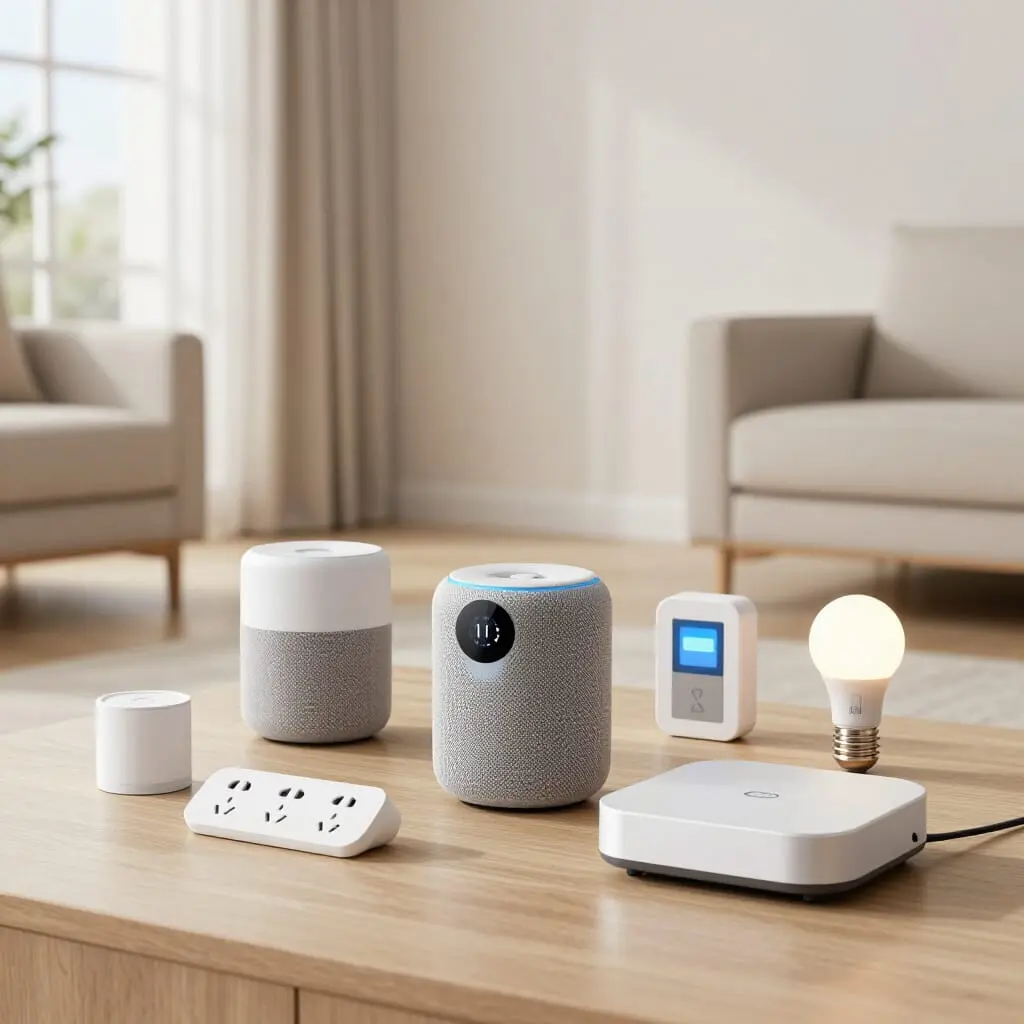
Smart Home: The Essential Equipment to Get You Started
- A smart home relies on five main categories of equipment: hubs, lighting, thermostats, security, and smart plugs.
- Your choice of communication protocol (Wi-Fi, Zigbee, Z-Wave, Matter) determines whether your devices will actually work together.
- There is no need to buy everything at once; starting with one or two practical use cases helps avoid costly mistakes.
- A smart home hub becomes necessary as soon as you mix different brands or protocols.
- Digital security (strong passwords, updates, dedicated networks) is just as important as the hardware you choose.
“Where do I even start with a smart home?” is the most common question for those new to home automation. The answer lies in five categories of equipment that cover the bulk of daily needs: a central system (the hub), lighting, heating, security, and smart plugs. This guide explores each of these building blocks, explains how they interact, and details the technical protocols (Wi-Fi, Zigbee, Z-Wave, Matter) that dictate compatibility—without pushing you toward any specific brand. The goal is to help you understand the logic of a smart home installation before you spend a dime.
What is a Smart Home, and Where Should You Start?
A smart home isn’t a single product you buy in one go; it’s an ecosystem of electronic devices (bulbs, plugs, sensors, cameras) that communicate with each other and your smartphone, usually via an app or a voice assistant. This connectivity allows you to automate repetitive tasks—like turning on the lights at sunset or cutting the heat when the house is empty—or keep an eye on your property from anywhere in the world.
For the average homeowner, the temptation is often to buy a dozen gadgets at once, thinking a “real” smart home must cover everything. In practice, most successful setups begin with a single, well-defined goal: lowering the heating bill, securing the front door, or simplifying the lighting. This gradual approach has two concrete advantages. First, it limits the risk of buying incompatible devices. Second, it allows you to verify that the technology actually fits your lifestyle before investing further.
Before diving in, it’s useful to distinguish between two setup logics. The first, “hubless,” relies on standalone Wi-Fi devices controlled directly via their own apps. The second, “hub-based,” uses a central bridge to coordinate devices using dedicated radio protocols like Zigbee or Z-Wave, which are generally more energy-efficient and reliable over time. The choice depends on how many devices you plan to install and the level of automation you desire—the following sections detail each category to help you decide.
The Smart Home Hub: The Conductor of Your Installation
A smart home hub (also called a bridge or gateway) is the device that centralizes communication between different connected devices in a home, regardless of their original protocol or brand. It acts as a translator: it receives a signal from a Zigbee sensor, links it to a Z-Wave bulb, and triggers an action based on a scenario you’ve defined.
You don’t need a hub for your very first device. A single Wi-Fi smart bulb or a plug controlled by its own app works perfectly fine on its own. A hub becomes essential when your setup grows and you begin mixing brands, protocols, or different types of devices that need to interact—for example, triggering the hallway lights when a motion sensor is tripped, or turning off a plug when a window is opened.
Without a hub, every device stays trapped in its own app, forcing you to juggle multiple interfaces and making cross-brand automation nearly impossible. With a hub, all compatible devices are managed from one interface, and complex scenarios involving multiple sensors and actuators become possible. Some hubs are sold as standalone units, while others are integrated into voice assistants or internet routers. The main criterion to consider is compatibility with the protocols of the devices you already own or plan to buy, which we cover later.
Smart Thermostats: Your Gateway to Energy Savings
Heating is historically the largest energy expense in a home, which is why smart thermostats are often the first investment for beginners. The principle is simple: it replaces or augments your existing mechanical thermostat to allow remote control via smartphone, more precise scheduling, and sometimes automatic adjustments based on whether someone is home.
Practically, a smart thermostat allows you to lower the heat while you’re away without having to remember to do it manually, warm up the house before you arrive, or track your consumption via in-app graphs. Some models gradually learn your household’s habits and adjust temperatures accordingly, while others stick to a classic programmed schedule that is simply accessible remotely.
There are two main types: thermostats that replace the boiler’s central control unit (compatible with most central heating systems) and smart TRVs (Thermostatic Radiator Valves), which attach directly to individual radiators for room-by-room control. The latter offers much finer granularity—heating only the rooms you are actually using—but requires equipping every radiator rather than just one central point. The choice depends on your current heating system and how much control you actually want.
Smart Lighting: Everyday Comfort
Smart lighting is often the most accessible entry point because it usually requires no wiring: a smart bulb screws into an existing socket and is controlled via an app or voice assistant. Beyond remote switching, the real value lies in automation: scheduling lights to turn off at night, simulating presence while you’re on vacation, or adjusting the intensity and color temperature based on the time of day.
Two approaches dominate the market. Individual smart bulbs offer great flexibility and require zero electrical work, but every light point must be equipped separately, which can become an expensive investment in a home with many fixtures. Smart switches and modules, installed behind the electrical circuit, make existing “dumb” lighting smart without changing the bulbs—a solution that is often better when multiple lights share the same wall switch.
A frequently underestimated use of smart lighting is “perceived security”: programming random lighting patterns while you’re away makes a home look occupied, providing a simple complement to the dedicated security devices discussed in the next section. Lighting remains one of the most versatile ways to experience the benefits of a smart home before expanding further.
Smart Security: Cameras and Sensors
Security is one of the primary motivations for home automation, alongside thermal comfort and energy savings. This category is a suite of complementary devices rather than a single product: indoor and outdoor surveillance cameras, door and window contact sensors, motion detectors, and video doorbells.
Smart cameras generally stream video to an app, with motion detection that triggers smartphone notifications. Some models record continuously to a local memory card, while others offer cloud storage, usually via a subscription—a point to watch closely, as it turns a one-time purchase into a recurring monthly expense. Contact sensors, which are much more discreet, attach to door or window frames and alert you to any unusual opening, which is particularly useful during long absences.
Unlike lighting or heating, smart security involves sensitive data: images of your home, your presence schedules, and your daily habits. It is therefore crucial to check the data storage policies and the manufacturer’s reputation before buying. We elaborate on this in the digital security section.
Smart Plugs and Switches: Upgrading Without Renovating
The smart plug is often the cheapest and fastest way to experience home automation. It simply plugs into a standard wall outlet and sits between the outlet and the appliance you want to control, requiring zero electrical installation. It allows you to remotely turn on or off “dumb” appliances: a lamp, a fan, a coffee maker, or a space heater.
Beyond simple remote switching, many smart plugs include real-time energy monitoring, helping you identify the most power-hungry devices in your home—a feature that often reveals that a device left on standby consumes far more than expected. Some plugs also allow for precise scheduling, useful for simulating presence or ensuring an appliance isn’t left on after you leave the house.
Smart switches serve a similar purpose but replace an existing wall switch, which involves working with the electrical circuit—something that should be done by a professional if you aren’t comfortable with electrical work. This is the ideal solution for fixed light fixtures or circuits shared by multiple lights where a single smart bulb isn’t enough. Plugs and switches are the natural complement to smart lighting.
Voice Assistants: The Most Natural Interface
A voice assistant occupies a unique place in a smart home: it doesn’t add a function to the home itself, but rather serves as an interface that simplifies access to existing functions. Once linked to compatible devices—lights, plugs, thermostats, cameras—it allows you to control them with your voice instead of opening an app every time.
This ease of use is why voice assistants are often mistakenly seen as the mandatory starting point. In reality, they are an added layer of convenience that only makes sense once several devices are already in place. Asking to “turn off all the lights” before bed or raising the living room temperature without getting up only has value if those devices already exist in your home.
Choosing a voice assistant also commits you to a broader software ecosystem, often without you realizing it. Devices purchased later must be compatible with your chosen assistant to be voice-controlled, which can influence your buying decisions for years. This is why it’s recommended to treat the voice assistant as a structural decision to be made after identifying your priority needs.
Understanding Protocols: Wi-Fi, Zigbee, Z-Wave, and Matter
The communication protocol a device uses determines its range, energy consumption, and compatibility with other equipment—this is the most technical but most important concept to grasp.
Wi-Fi is the most common protocol because it requires no extra hardware: every device connects directly to your home router. The downside is higher power consumption, making it less ideal for battery-powered devices, and the potential to slow down your internet router as the number of devices increases.
Zigbee and Z-Wave are radio protocols dedicated to home automation, designed for low energy consumption and extended range via “mesh networking”—where each device can relay the signal for others. However, they require a compatible hub to function. Zigbee boasts a massive ecosystem of manufacturers, while Z-Wave emphasizes guaranteed compatibility between different brands through stricter certification.
Matter, the newest standard, aims to solve the fragmentation between these protocols. Backed by the industry’s biggest players, it allows devices from different brands to work together without complex configuration and often relies on the Thread radio protocol for local communication. For those starting their smart home in 2026, looking for the Matter logo is the simplest way to limit future compatibility risks.
Building Your Setup Step-by-Step
Given the variety of equipment, the most practical question is the order of installation. While there is no universal sequence, a clear logic emerges from the most common user patterns.
The first step is generally to choose one priority use case—thermal comfort, security, or lighting simplification—rather than trying to automate everything at once. This priority depends on your habits: a home that is empty all day will benefit most from a programmable thermostat, while a secluded or frequently unoccupied home will get more value from a security system.
The second step is to verify technical coherence. Using the protocol guide above, prioritize devices that are compatible with each other or support a common standard like Matter. This prevents you from having to manage ten different apps or rebuying hardware when you decide to expand.
Finally, digital security deserves as much attention as the hardware. Changing default passwords, keeping firmware updated, and—if possible—isolating your smart devices on a dedicated guest Wi-Fi network (separate from your computers and smartphones) significantly reduces the risk of intrusion. A poorly secured smart home paradoxically exposes the household to new risks, defeating the original goal of comfort and security.
Do I absolutely need a smart home hub to get started?
No, a hub isn’t necessary for your first few devices. A Wi-Fi smart bulb or plug works on its own via its app. A hub becomes useful when your setup grows and you start mixing different brands or protocols.
What is the difference between Zigbee and Wi-Fi for smart devices?
Wi-Fi connects directly to your router without extra hardware but consumes more power. Zigbee requires a hub but is more energy-efficient and creates a mesh network that extends the signal range.
Is a voice assistant essential for a smart home?
No, it is a convenience interface. It becomes valuable once you have several devices installed, allowing you to control them by voice rather than adding a new function to the home.
Is a smart home compatible with a rental property?
Yes, if you stick to “non-permanent” equipment. Smart bulbs, smart plugs, standalone cameras, and smart TRVs can be installed and removed without any construction, unlike smart switches which require electrical work.
What will the Matter protocol change for beginners?
Matter aims to make devices from different brands work together seamlessly without complex setup. Checking for the Matter logo helps ensure your devices won’t become obsolete or incompatible with future purchases.
How do I secure my smart devices against hacking?
The basics are: change all default passwords immediately, keep your devices updated, and isolate your smart home gear on a separate Wi-Fi network from your main computers and phones.
Which piece of equipment should I start with?
There is no one-size-fits-all answer. If you want to save money on bills, start with a thermostat. If you’re worried about safety, start with security sensors. For the easiest “win,” start with smart lighting.
Do smart plugs consume a lot of electricity on standby?
Their own power draw is negligible. In fact, they are useful because they allow you to measure the standby power of the devices plugged into them, often revealing “vampire” appliances that cost more than expected.
Sources
- Smart Home: Essential automation equipment for 2025 — Batiweb
- The 10 indispensable connected objects for 2026 — Hello Watt
- Is a smart home hub essential? — Joan Électricité
- Smart Home Hubs: Tested Models — TouteLaDomotique.com

D'autres conseils Electrical Systems & Smart Home
 →
Smart Lighting: Practical Solutions for Daily Life
Discover how smart lighting simplifies your life: automation, up to 30% energy savings, home security, and affordable accessibility.
Lire l'article → →
Smart Home Installation Cost: 2026 Price Guide & Budget
Planning a smart home? Discover installation costs from €200 to €20,000 for new builds or existing homes. Our complete 2026 guide covers everything.
Lire l'article → →
Smart Home: Wi-Fi, Zigbee, or Matter? Comparison Guide
Compare Wi-Fi, Zigbee, and Matter for your smart home. A complete guide to choosing the right protocol based on your budget and device needs.
Lire l'article → →
Old electrical systems: signs of a faulty installation
Learn the warning signs of an old electrical system: ungrounded outlets, burning plastic smells, and tripping breakers. When should you renovate?
Lire l'article →