
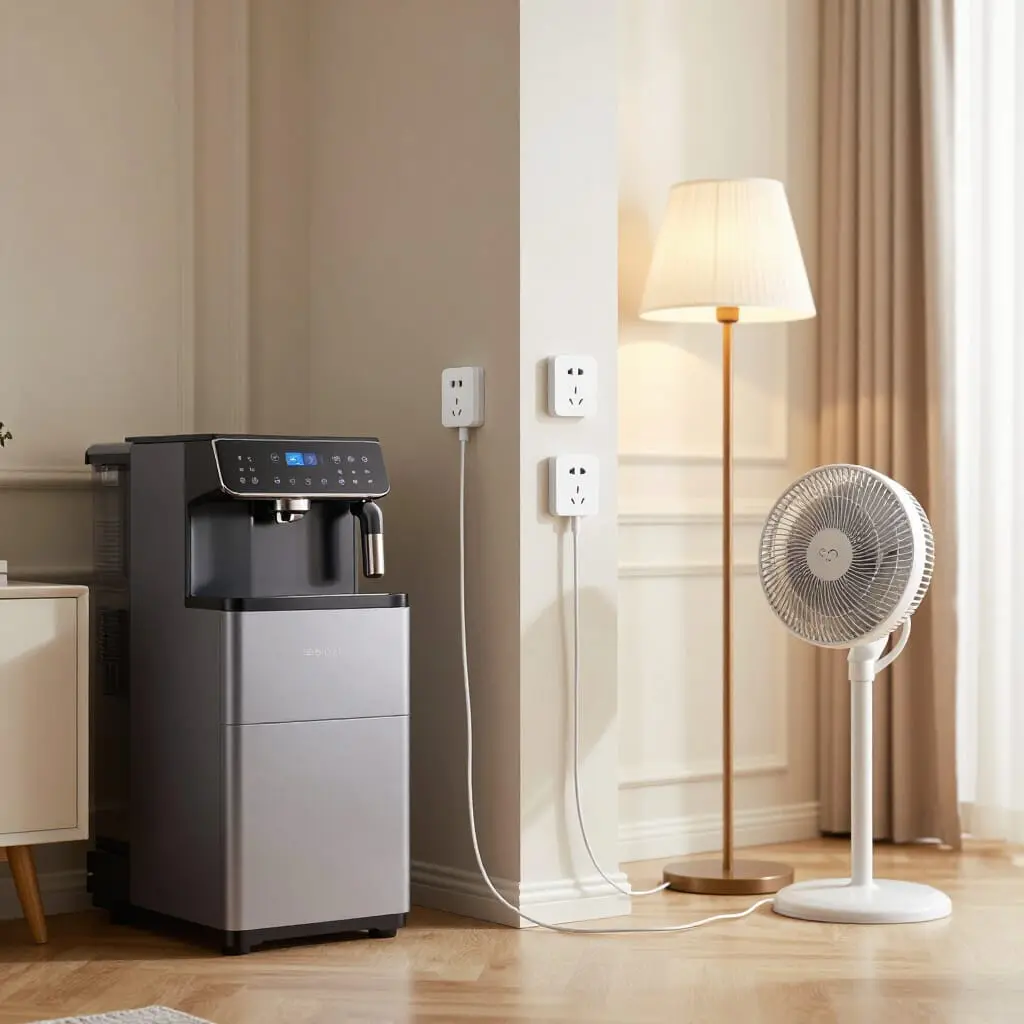
Smart plugs: 10 truly practical everyday uses
- A smart plug sits between a wall outlet and an electrical device, allowing you to control it remotely via an app
- It can be used to cut power to energy-hungry standby devices, simulate presence, or automate morning and evening routines
- Its own energy consumption is negligible, often estimated at less than $1 per year depending on usage
- Compatible with Alexa, Google Assistant, or multi-device scenarios, it gradually integrates into a smart home
- No renovation required: it simply plugs in and can be configured in minutes using a smartphone
A smart plug does more than just turn on a lamp from your sofa. This small device that fits between your wall outlet and an appliance allows you to program schedules, cut power remotely, simulate someone being home, or monitor the energy consumption of a specific piece of equipment. For middle-class families gradually equipping their homes with smart technology, the question isn’t so much “what is it for” in theory, but “how does it actually change daily life.” Here are ten tested and proven uses, from the most obvious to the less common, showing where this gadget truly adds value without the need to automate everything at once.
1. Cutting hidden standby power that inflates your bill
A TV on standby, a secondary internet router, a gaming console, or a forgotten charger: these devices continue to consume power even when they appear to be off. A smart plug allows you to group them on a single circuit programmed to shut off automatically at night or during the day when no one is home. Unlike a simple power strip with a switch, it remembers precise schedules and can be turned off remotely with a single tap if you leave the house and realize you forgot to unplug something.
The goal isn’t to transform your bill overnight: a smart plug itself consumes very little, often estimated at less than $1 per year. The real savings come from what it allows you to cut off: a desktop computer left on all night, a TV box running continuously, or an electric bike charger left plugged in. With several energy-hungry devices on standby, the cumulative annual savings become noticeable, especially in households with multiple screens and devices.
This first use is often the most immediately rewarding because it requires no change in habits: you plug it in, program it once, and the plug does the rest without you having to think about it daily.
2. Simulating presence while on vacation
Leaving your home visibly empty for several days is one of the most recognizable signals for a burglar scouting a neighborhood. A smart plug allows you to program the random activation of a living room lamp in the evening, or a radio for a few minutes in the late afternoon, to create the illusion of normal occupancy.
The advantage over a simple mechanical timer is variability: most apps offer a “random” mode that slightly shifts the schedule from one day to the next, avoiding the overly regular pattern of a fixed-time activation that eventually gives away your absence. Some also allow you to control the plug remotely if needed—for example, to turn on a light on a specific evening if you are checking the local weather or neighborhood news.
It is not an alarm system, and it shouldn’t replace serious security during a long absence. However, when paired with smart shutters or simply communicating with a neighbor, this use remains one of the most practical ways to provide peace of mind without investing in a complete security system.
3. Automating small morning appliances
A coffee maker programmed to be ready when you wake up, a kettle that starts before the bathroom is free, a toaster that no longer needs to be manually plugged in: smart plugs naturally find their place with kitchen appliances used in a regular routine.
The principle is simple: the plug cuts power by default outside of programmed slots, which also prevents leaving an appliance plugged in continuously for no reason. Some households also use them to synchronize multiple appliances with a single voice command in the morning, such as linking the coffee maker’s activation to the kitchen radio via a routine in the app.
This automation does not replace the need for attention to the safety of cooking appliances, which require human supervision. It is mainly intended for simple, short-cycle equipment, for which programmed activation represents a real gain in comfort without particular risk.
4. Programming outdoor lighting seasonally
Garden lights, terrace string lights, or facade lighting often pose the same problem: turning them on and off manually every evening is easily forgotten, and ideal timings change with the seasons. A smart plug set to follow the sunset—a feature offered by many apps—automatically adjusts the turn-on time so you don’t have to reprogram it every month.
This use is particularly appreciated for seasonal light decorations, turned on only in the evening for a limited period, or for outdoor security lighting that needs to activate at dusk all year round. It also prevents the annoyance of lights staying on in broad daylight because you forgot to turn them off.
For homeowners, this type of programming represents a tangible gain in comfort without requiring additional electrical installation or DIY skills.
5. Controlling a space heater remotely
A fan heater or an electric convector plugged into a smart plug can be programmed to start before you enter an infrequently used room, such as an office or a guest bedroom, without leaving it running continuously. Some plugs also include energy monitoring, which allows you to identify particularly power-hungry devices and adjust their usage schedules accordingly.
A word of caution is needed here: not all smart plugs are designed to handle the power load of an electric heater over a long period. It is essential to check the maximum amperage supported before plugging in a heating device to avoid overheating the plug itself. Once this check is done, the use is very effective for occasional control, especially in rooms occupied irregularly.
This use case perfectly illustrates the line between smart home comfort and electrical safety: the plug makes scheduling easier, but it does not exempt you from following the manufacturer’s recommendations regarding the loads it can support.
6. Avoiding the “did I leave it on?” anxiety
An iron left plugged in, a stovetop you aren’t sure you turned off, a hair dryer forgotten in the bathroom: this doubt, once you are on the road or at work, is one of the most common reasons for installing a smart plug. With the app, you simply check the plug’s status to see if it is still powered and cut it remotely if you are in doubt.
This use also works proactively by configuring an automatic shut-off after a fixed duration—for example, two hours after an iron is turned on—to limit the risk even if no one checks the app. Some models even include a push alert if activity is detected on a device that is usually only used for a short time, allowing you to spot an anomaly without actively thinking about it.
This is not a certified fire safety device, but it serves as a useful safety net to complement common sense, providing extra peace of mind for devices with heating elements.
7. Creating voice routines with an assistant
When paired with Alexa or Google Assistant, a smart plug moves beyond its dedicated app to integrate into broader voice routines. A single command like “good night” can simultaneously turn off a bedside lamp, a media box, and a charger, without having to repeat the order for each device.
The benefits grow as the number of smart plugs in your home increases, as routines allow you to group scattered actions into a single trigger, whether voice-activated or automatic based on the time of day. This is also one of the simplest entry points to a larger smart home, as most consumer Wi-Fi models do not require a central hub.
However, this functionality requires a stable internet connection and an account associated with the voice assistant, which means sharing certain usage data with the plug manufacturer and the chosen voice ecosystem.
8. Monitoring the actual consumption of a specific device
Some smart plugs, which are slightly more advanced than entry-level models, display the real-time electrical consumption of the device plugged into them. This tracking allows you to identify exactly which pieces of equipment are weighing most heavily on your bill: an old refrigerator, a space heater used more often than expected, or a gaming console left in deep standby.
This use is primarily comparative: plugging several different devices into the same smart plug one after another for a few days gives you a clear hierarchy of what truly consumes power, without waiting for your annual bill to find out. Some users also use it to verify that an ostensibly energy-efficient device is performing as advertised, or to detect a malfunction signaled by abnormal power surges.
It isn’t a complete home energy audit, but it is a targeted diagnostic tool that is useful for making concrete decisions about which appliances to replace or which habits to adjust.
9. Automating irrigation cycles or pumps
A pond pump, an electrically powered drip irrigation system, or an aquarium pump can be controlled by a smart plug programmed for regular intervals. The main advantage is consistency: unlike a manual task that is easily forgotten on a day when you are tired or away, programming guarantees a constant cycle that can be adjusted remotely if needed.
For aquariums in particular, this type of automation allows you to synchronize filtration and lighting with schedules that match the day-night cycle expected by the fish, without daily intervention. For a garden, it prevents the classic “long weekend” syndrome where potted plants suffer due to forgotten watering.
Caution is still required when working with water: ensure that the plug and its connections are properly rated for use near moisture, and prioritize models designed for such environments rather than standard indoor plugs.
10. Combining multiple plugs in a multi-device scenario
The final use is less an isolated case and more a natural evolution of the previous ones: once you have several smart plugs installed, it becomes possible to make them interact within a single scenario. A common example is triggering the shut-off of multiple devices at the moment the last family member leaves the house, using smartphone geofencing rather than a fixed schedule.
This type of multi-device scenario generally requires a slightly more advanced app capable of creating “if… then…” conditions rather than simple schedules. Certain Zigbee plugs, which require a central hub unlike standalone Wi-Fi models, offer this advanced scripting flexibility at the cost of a slightly more technical initial setup.
This level of usage isn’t essential to enjoy a smart plug daily, but it illustrates the growth potential for those who want to go beyond basic on/off functionality.
Do smart plugs work without internet?
It depends on the protocol. A Wi-Fi plug generally loses remote control capabilities without an internet connection but often retains any locally programmed functions. A Bluetooth plug only works in close proximity to your smartphone and does not depend on the internet.
Do I need a hub to set up a smart plug?
Wi-Fi models connect directly to your home router without needing an extra hub. In contrast, Zigbee or Z-Wave models require a central hub to communicate with your smartphone.
Do smart plugs consume much electricity themselves?
No, their own consumption is very low, typically estimated at less than $1 per year. Most of the potential savings come from what they allow you to cut off on the devices plugged into them, not from their own consumption.
Can I plug an electric heater into a smart plug?
Yes, provided you check the maximum amperage supported by your chosen model, which is often 10A or 16A depending on the reference. Running a high-power heater on an undersized plug carries a risk of overheating the device.
Are smart plugs compatible with Alexa and Google Assistant?
The majority of consumer models are, allowing you to integrate them into voice commands and routines that group multiple devices under a single instruction.
Do smart plugs require professional installation?
No, they plug directly into an existing wall outlet and can be configured via an app in a few minutes, with no electrical work required.
Can I set different schedules for different days of the week?
Yes, most apps allow you to define distinct time slots for each day, which is useful for differentiating between weekday and weekend schedules.
Sources
- Smart Plug: Savings or Extra Expenses? — Ekwateur
- Smart Plug: Uses and Potential Savings — Ecojoko
- How Smart Plugs Help Save Energy — Smart-One

D'autres conseils Electrical Systems & Smart Home
 →
Replacing Your Electrical Panel: When Is It Necessary?
Learn when to replace your electrical panel: signs of wear, non-compliance, and safety risks. A complete guide to costs and electrical standards.
Lire l'article → →
Presence Detector: Real Comfort or Smart Home Gadget?
Is a presence detector worth it? Discover which rooms benefit most, real energy savings, and the technical limits of this smart home technology.
Lire l'article → →
Smart Home Guide: How to Start Your Automation Journey
Start your smart home journey: a complete guide to choosing your first devices, starting budgets, and easy DIY installation.
Lire l'article → →
Smart Home: Wi-Fi, Zigbee, or Matter? Comparison Guide
Compare Wi-Fi, Zigbee, and Matter for your smart home. A complete guide to choosing the right protocol based on your budget and device needs.
Lire l'article →