
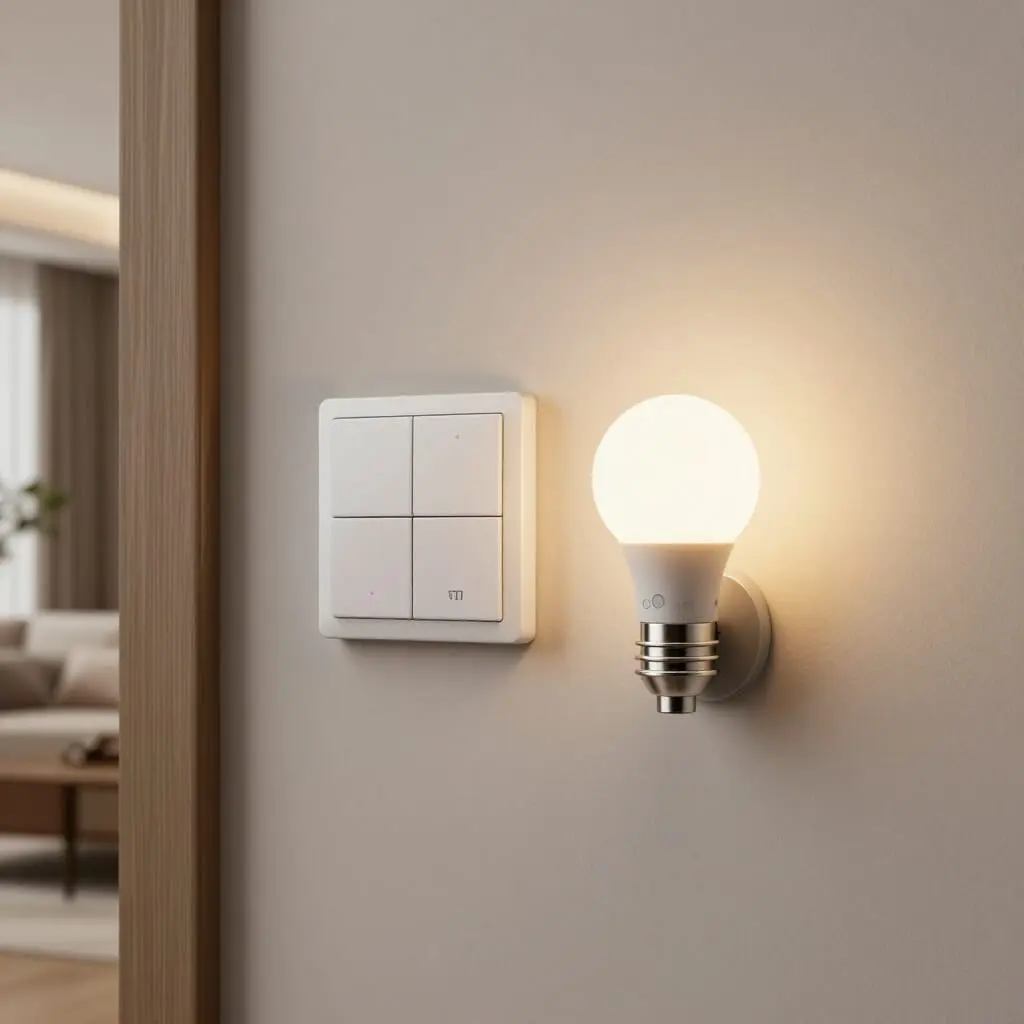
Smart Switches vs. Smart Bulbs: The Ultimate Selection Guide
- Smart bulbs replace the light source itself, offering colors, dimming, and preset scenes, but become expensive when equipping multiple fixtures.
- Smart switches (or in-wall modules) control an entire existing circuit without changing the bulbs, making them more cost-effective for whole-home automation.
- The absence of a neutral wire in the wall box remains the primary technical hurdle for installing standard smart switches.
- The right choice depends on the room: mood lighting and colors for the living room; simplicity and budget for multi-point circuits (hallways, stairs, entryways).
- Both solutions are compatible and can coexist in the same home depending on the specific needs of each room.
When choosing between a smart switch and a smart bulb, there is no one-size-fits-all answer: the decision depends on your electrical wiring, the number of lights you want to control, and your goals. Smart bulbs are attractive for their colors and customizable lighting scenes, but you pay for every single socket. Smart switches, on the other hand, control an entire circuit using the bulbs already in place, which radically changes the budget once you move beyond one or two rooms. This comparison breaks down the concrete criteria—cost, electrical compatibility, features, and ease of installation—to help you decide room by room rather than product by product.
How Smart Bulbs Work
A smart bulb integrates a radio module (Wi-Fi, Zigbee, or Bluetooth) and often an RGB chip for color modulation directly into its base. It screws in just like a traditional bulb into any standard socket (E26/E27, E12/E14, GU10) without requiring any wiring changes. Once paired with an app or a hub, it can be turned on, off, dimmed, and color-shifted individually, regardless of other lights in the room.
This autonomy has a downside: every socket must have its own smart bulb to be controllable. In a ceiling fixture with three spotlights, you would need three smart bulbs, whereas a single smart switch would suffice to control the entire set. This is why smart bulbs are naturally best suited for lighting points where color and ambiance matter—such as the living room, bedroom, or reading nook—rather than for the entire house.
Another technical point to keep in mind: the physical wall switch must remain always powered for the smart bulb to stay connected via Wi-Fi or Zigbee. If someone flips the traditional switch off by reflex, the bulb loses power and becomes unreachable via the app until someone manually turns it back on. This detail, often overlooked at purchase, explains many of the negative user experiences with smart bulbs in family households.
How Smart Switches Work
Smart switches generally come in two forms: a wall switch that physically replaces your existing one, or a discreet micro-module (in-wall relay) installed behind the plate, in the electrical box, or inside the ceiling fixture. In both cases, the principle is the same: the device cuts or restores power to the lighting circuit, regardless of the type of bulb connected downstream.
This approach offers a direct advantage: it works with already installed bulbs, including incandescent, halogen, or standard LEDs, without needing to replace them. For a three-spot ceiling light or a multi-lamp chandelier, a single module is enough to make the entire fixture controllable via smartphone, a smart home hub, or voice commands.
The trade-off is that smart switches typically handle lighting in a binary “on/off” fashion (or dimming for dimmable models), without access to colors. Some high-end models, such as certain Legrand or Lutron ranges, include dimmer functions, but customization remains more limited than with an RGB bulb. Therefore, smart switches are targeted at practical uses—scheduling, presence simulation, and remote control of entire circuits—rather than fine-tuned mood lighting.
The Neutral Wire: A Technical Hurdle Not to Be Underestimated
Most smart wall switches require a neutral wire in the electrical box to permanently power their internal electronics. However, many older homes were wired with only the hot (phase) and switch wires leading to the switch, without bringing the neutral wire from the electrical panel. Without this wire, a standard smart switch simply cannot function.
Several solutions exist to bypass this problem. “No-neutral” models use a small leakage current (roughly 0.3 to 2 mA) that constantly passes through the fixture even when the light is off. While imperceptible to the user, this can sometimes cause a slight flicker in some low-end LED bulbs. Another option is to install a micro-module directly in the ceiling fixture rather than the wall switch, as the neutral wire is almost always present there. Finally, pulling a new neutral wire from the panel is the cleanest solution but requires a licensed electrician.
This technical point explains why smart bulbs—which have no wiring constraints since they only need a standard socket—are often the default choice for older homes, despite the higher cost per light point.
Budget: Comparing Actual Costs Based on Light Points
The budget calculation shifts quickly depending on how many bulbs you need. An entry-level smart white bulb generally costs around $15, and an RGB color version often exceeds $20 to $30 per bulb. For a ceiling fixture with three or four spots, the cost climbs rapidly—not to mention that you may need to buy a proprietary hub (like the Philips Hue Bridge) to access all features.
Conversely, a smart switch or micro-module is priced similarly for a single unit but covers an entire circuit in one installation, regardless of how many bulbs are attached. For a room with multiple lights, or for equipping a hallway, staircase, or entryway with multi-point control, the smart switch is significantly cheaper per light point.
The logic reverses for a single light source where color and custom scenes are the priority: in that specific case, a single smart bulb is sufficient and cheaper than a dedicated module. Therefore, your budget should be planned room by room and circuit by circuit, rather than making a single choice for the entire home.
Features: Color Ambiance vs. Centralized Control
Smart bulbs clearly dominate in terms of lighting atmosphere. Hue shifts, adjustable warm or cold white, synchronization with music or movies, and predefined scenes for waking up or relaxing: these functions rely on electronics embedded in each bulb and are simply not available via a standard smart switch, which only cuts or restores power.
On the other hand, smart switches excel in centralized control and daily ease of use. The whole family can continue using the wall switch as they always have, without needing to open an app to turn on the light—a crucial point for households with children or people less comfortable with technology. Remote control, scheduling, and integration into smart home scenarios (such as vacation mode or automatic night-time shutoff) remain accessible, but without the color customization layer.
Some households combine both: a smart switch for the main circuit of a room, complemented by one or two smart bulbs on accent lighting (bedside lamp, wall sconce) for ambiance. This hybrid approach limits costs while maintaining fine customization where it truly matters.
Which Solution to Choose by Room
In a living room or bedroom where ambiance is key, one or two smart bulbs are often enough to transform the atmosphere without a huge investment—especially when used in a floor lamp or a standalone sconce rather than a multi-spot ceiling fixture. For the kitchen, bathroom, or office, where usage is primarily functional, a smart switch covers the entire circuit at a lower cost and avoids the need to replace multiple bulbs.
Multi-point circuits—such as hallways with three-way switches, stairs, or entryways—are the ideal territory for smart switches: a single well-placed micro-module allows you to control everything from one app without having to equip every single wall switch individually. Conversely, trying to equip these circuits with smart bulbs would require replacing every bulb along the path for limited functional gain.
For the outdoors (garden, patio, gate), the choice usually leans toward the smart switch or module. These are generally more robust against temperature fluctuations and often less expensive than specific waterproof smart bulbs, which are rarer on the market and sold at a premium.
Installation: What Changes in Practice
Installing a smart bulb requires no electrical skills: it screws in like any other bulb, and pairing is done via an app, usually within a few minutes. This is the most accessible solution for renters or anyone who wants to avoid tampering with the electrical panel.
Installing a smart wall switch, however, involves turning off the circuit breaker and handling electrical wires, even for a direct replacement of a traditional switch. Without basic electrical knowledge, or if you are unsure about the presence of a neutral wire, hiring an electrician is recommended—especially in older homes where wiring can be unpredictable. Micro-modules installed in a ceiling fixture require a similar level of handling, with the advantage of remaining invisible once installed, preserving the aesthetic of existing switches.
This installation factor is a major consideration for renters or those who prioritize reversibility: a smart bulb can be unscrewed and taken with the owner when they move, whereas an in-wall smart switch modifies the home’s electrical installation more permanently.
Can I install a smart switch without a neutral wire?
Yes, provided you choose a “no-neutral” compatible model, which uses a small standby current to stay powered, or install a micro-module directly in the ceiling fixture instead of the wall box.
Do smart bulbs consume more energy than regular bulbs?
In normal use, consumption is comparable to a standard LED of the same wattage; the difference comes from the radio module’s standby power, which is minimal but constant as long as the bulb is powered.
Can I combine smart bulbs and smart switches in the same home?
Yes, both technologies coexist without issue: using smart switches for functional circuits and a few smart bulbs for ambiance is a common and economical combination.
Do I need a hub to use a smart switch?
It depends on the protocol: Wi-Fi models generally do not require a hub, while Zigbee or Z-Wave models require a dedicated gateway or a compatible smart home hub.
Does a smart switch work if the Wi-Fi goes down?
Manual control always remains available because the switch physically acts on the circuit; only the remote functions and app-based scheduling are unavailable until the connection is restored.
Which solution is better for a rental property?
Smart bulbs are generally preferable for renters because they do not modify the electrical installation and can be taken along when moving, unlike an in-wall smart switch.
Are smart bulbs still controllable if the wall switch is turned off?
No: flipping a traditional wall switch cuts the power to the bulb, making it unreachable via the app until the power is manually restored.
Sources
- Smart bulbs vs. smart switches — domo-blog.fr
- The smart switch for the smart home — blog.materielelectrique.com
- No-neutral smart switch: complete guide — madotec.fr
- Smart switches: 5 points to consider — lesalexiens.fr
- Smart lighting: smart bulbs or smart switches — idees-home.com

D'autres conseils Electrical Systems & Smart Home
 →
Add Electrical Outlets Without a Full Rewire: Easy Methods
Learn how to easily add electrical outlets using daisy-chaining, surface trunking, or junction boxes. Practical solutions and cost breakdowns included.
Lire l'article → →
5 Warning Signs of a Dangerous Electrical Installation
Learn how to spot a dangerous electrical installation: tripping breakers, blackened outlets, and exposed wires. Essential safety tips and advice.
Lire l'article → →
Smart Home Guide: How to Fully Automate Your House
Learn how to build a truly smart home: protocols, automation tips, budget, and essential gadgets to get started the right way.
Lire l'article → →
Smart Home Security: The Complete Guide
Learn how to secure your home with smart technology. From cameras to smart locks, discover all the essential devices for a safer connected home.
Lire l'article →