
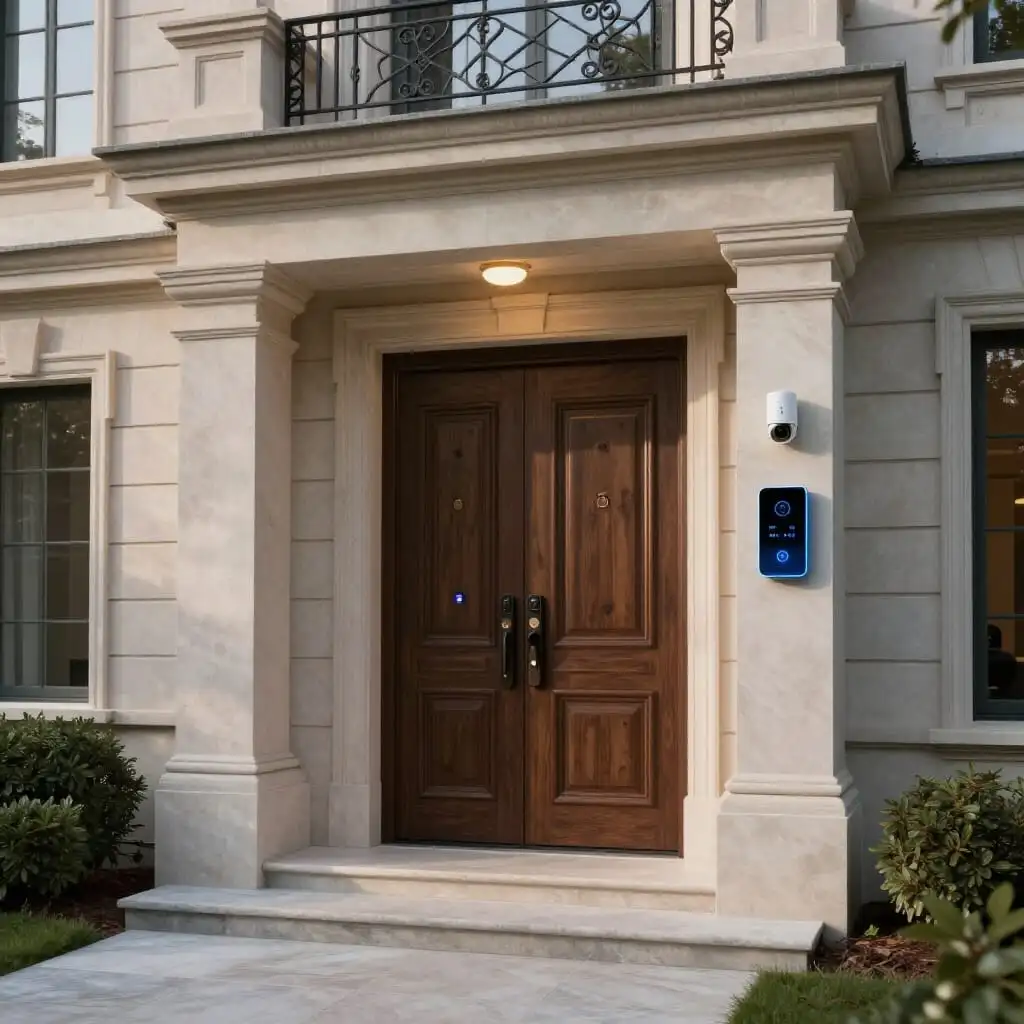
How to Secure Your Home with Smart Home Technology?
- Smart home security relies on three complementary mechanisms: detection, automated reaction, and remote communication.
- Cameras, motion detectors, smart alarms, and smart locks form the building blocks of a secure connected home.
- Presence simulation remains one of the simplest and most effective ways to deter intruders while you are away.
- A centralized smart home system allows you to control and link these devices through automated routines rather than managing them separately.
- Your home network’s digital security (Wi-Fi, passwords, updates) is just as vital to your protection as the physical hardware itself.
Securing a home with smart technology involves combining connected devices—such as cameras, sensors, alarms, and locks—that can spot an intrusion, react automatically, and notify the occupant wherever they are. Unlike a traditional alarm that simply rings, a smart home system cross-references multiple data points (movement, door openings, lack of light) to trigger appropriate actions: turning on lights, sending a notification, activating a siren, or recording video. This approach is particularly appealing to homeowners seeking scalable protection that can be managed via smartphone without relying solely on expensive professional monitoring services. This guide details the available technologies, how they work in practice, and how to integrate them to achieve cohesive smart home security, from small apartments to large detached houses.
How Smart Home Technology Enhances Home Security
Smart home security is about more than just adding a camera or a connected alarm to your house. It relies on the coordination of three mechanisms that, while they existed before the connected era, become far more effective when linked together: early detection, automated reaction, and remote communication.
Early detection involves spotting an anomaly as soon as possible: a contact sensor on a patio door, a motion sensor in a hallway, or a camera identifying a silhouette in the garden. The earlier an anomaly is detected, the faster and more deterrent the response can be.
Automated reaction turns that detection into immediate action without human intervention. This is where smart homes stand apart from simple alarms: instead of just sounding a siren, a programmed routine can turn on all the ground-floor lights, automatically lock other access points, or trigger video recording on every camera in the house simultaneously.
Finally, remote communication allows the occupant to stay informed in real-time, wherever they are, via a smartphone notification, an automated call, or an alert sent to a monitoring service. This fundamentally changes the relationship with security: you no longer discover an intrusion upon your return; you are informed the moment it happens, often with supporting images or video.
It is the combination of these three layers—rather than a single isolated device—that gives a smart home its strength against intruders. A detector alone warns; a complete smart home system detects, reacts, and informs within seconds.
Cameras and Motion Detectors: The Eyes of Your Smart Home
Connected surveillance cameras are often the first component installed by homeowners discovering smart security. Their value goes beyond simple live streaming: when paired with a motion detector, they send an instant notification as soon as movement is spotted in their field of view, often including a short video clip so you can immediately verify if it is a false alarm (an animal, a moving branch) or a situation requiring attention.
Two main types coexist: indoor cameras, designed to monitor a living room or entryway while you are out, and outdoor cameras, which are typically more robust, equipped with night vision, and sometimes featuring built-in lighting or sirens to deter intruders on the spot. Some models combine a Passive Infrared (PIR) detector and video capture in a single, discreet unit, making installation simpler than using two separate devices.
Standalone motion detectors (without cameras) remain relevant for areas where video isn’t necessary, such as hallways, garages, or access points to outbuildings. Linked to an alarm or a smart routine, they can, for example, automatically turn on an outdoor light at the slightest movement—a simple but effective deterrent for prowlers.
One point of caution: privacy. A poorly positioned camera might film public roads or a neighbor’s yard, which can lead to legal issues. It is recommended to point outdoor cameras strictly toward your own property and to check the privacy settings of the associated app, particularly regarding how recordings are stored in the cloud.
Smart Alarms and Monitoring: Deterring and Alerting
The alarm remains the historical foundation of home security, and the connected version multiplies its effectiveness. A smart alarm kit typically includes a central hub, contact sensors for doors and windows, one or more motion detectors, and an indoor siren, sometimes supplemented by a highly visible outdoor siren.
The major difference from a traditional wired alarm is connectivity: the hub communicates via Wi-Fi or a cellular network with the owner’s app. This allows you to arm or disarm the system remotely, view event history, and receive real-time notifications if triggered, even when you are far from home.
Users generally have two options. The first is self-monitoring: the owner receives the notification and decides whether to call a relative, a neighbor, or the authorities. The second relies on a professional monitoring service, usually available via a monthly subscription. In this setup, an operator analyzes the alert, attempts to contact the occupant, and triggers an intervention if necessary. This option provides peace of mind, especially for people who are frequently away or seniors living alone, though it represents a recurring cost that must be weighed against a subscription-free, autonomous solution.
As specialized home security buying guides point out, no device can guarantee a total stop against a determined burglar. The realistic goal of a smart alarm is to delay the intrusion and make it sufficiently risky and noisy to discourage the vast majority of attempts, which are typically opportunistic.
Smart Locks and Access Control
Smart locks shift the security focus to the entry point itself, rather than just detecting an intrusion after it has occurred. They replace or augment traditional locks with an electronically controlled mechanism, opened via smartphone, code, key fob, or fingerprint, depending on the model.
The primary security benefit lies in traceability and access flexibility. It becomes possible to assign a temporary code to a contractor or a house sitter and revoke it instantly once they are finished, without ever needing to change physical keys. An access history, viewable in the app, also allows you to know exactly who entered and at what time.
Another often underestimated advantage is the elimination of risks associated with hidden keys (like under a doormat) or lost keys—two common entry points for non-forced intrusions. A well-configured smart lock can automatically lock the door after a set period, preventing the mistake of leaving a home unsecured.
These locks integrate naturally into broader smart home routines: unlocking the door can automatically disarm the alarm to prevent a false trigger upon your return, or conversely, it can trigger an alert if the door is opened at an unusual hour when no one is expected to be present. It is this ability to communicate with other devices, rather than the lock acting alone, that provides true smart home value.
Simulating Presence to Deter Without Constant Monitoring
Presence simulation is one of the simplest and most effective measures to deter intruders, especially during vacations or long absences. The principle is to recreate the illusion of an occupied home from the outside.
In practice, this involves programmed routines that turn lights on and off at varying, realistic times rather than fixed schedules, open and close smart blinds as an occupant would, or occasionally play audio within the house. The goal is to avoid the typical signs of an empty home—permanently closed shutters, total darkness, or accumulating mail—which are easy clues for a burglar scouting a neighborhood.
This approach offers an advantage often overlooked by cameras or alarms: it acts preemptively, before an intrusion attempt even begins, by reducing the home’s attractiveness rather than reacting after the fact. It requires little hardware investment—a few smart plugs and some controllable bulbs or blinds are often enough—and can be set up in minutes via an app.
Presence simulation is even more effective when combined with practical habits mentioned in specialized travel prep guides: temporarily suspending deliveries, asking a neighbor to collect mail, or avoiding announcing long absences on social media. Technology does not replace these common-sense habits; it complements them.
Centralizing and Automating: The Role of the Smart Home Hub
Multiplying connected devices without linking them together significantly limits their effectiveness. A camera that alerts on its own, an alarm managed in a different app, and blinds controlled separately force the user to check multiple interfaces and delay reactions during a real event. This is precisely the role of the hub (or smart home gateway): to centralize all these devices into a single, coherent system.
A hub allows you to create scenarios that cross-reference multiple information sources to refine detection. For example, you can configure a routine to only trigger an alert if motion is detected by a camera AND a door is opened simultaneously, reducing false alarms caused by pets or drafts. Conversely, motion detected while the alarm is armed and no one is expected home can immediately trigger a cascade of reactions: lights, sirens, notifications, and video recording.
Several ecosystems exist on the market, each with a different approach: some prioritize deep, proprietary integration between their own devices, while others focus on compatibility with open standards and third-party voice assistants, making it easier to gradually add equipment from different brands. Before investing, it is useful to check the compatibility of the devices you have in mind, as a fragmented system—where every brand requires its own app—can complicate daily use and, paradoxically, hinder responsiveness in an emergency.
Securing the Network: The Often Forgotten Link
One point deserves special attention because it is frequently overlooked by those setting up smart homes: the digital security of the devices themselves. A poorly protected camera or smart lock can, paradoxically, become an entry point for a malicious third party rather than a means of protection.
The concrete risks identified by industry experts primarily fall into three categories: unauthorized access to a camera’s video feed, hacking the home network via a misconfigured connected object that serves as a gateway to the entire Wi-Fi network, and the theft of personal data stored in the devices’ associated apps.
A few simple habits can significantly reduce these risks. Systematically changing default passwords upon installation, enabling two-factor authentication (2FA) whenever offered by the app, and keeping device firmware up to date are among the most effective and least intrusive measures. Isolating connected objects on a dedicated Wi-Fi network (a “guest” or “IoT” network), separate from the one used for computers and smartphones, also helps limit the spread of a breach if a single device is compromised.
Regarding regulations, data collected by these devices falls under GDPR within the European Union, which imposes transparency obligations on manufacturers regarding how recordings are stored and used. Checking where data is hosted—especially for cameras offering cloud storage—is an essential step to take before choosing equipment, just as important as checking its detection features.
Where to Start: A Progressive Approach
Given the variety of available equipment, you don’t need to outfit your entire home at once to see a real improvement in security. A progressive approach that prioritizes your home’s actual weak points is often more effective than buying a complete system all at once.
The first logical step is to identify your most vulnerable entry points: the main door, the garage door, ground-floor windows, or windows facing areas not visible from the street. These access points should be the priority for contact sensors or cameras, rather than spreading equipment uniformly across the whole house.
Next comes the automation of existing habits: outdoor lighting that turns on at the slightest movement, or blinds that close automatically at dusk, provides immediate improvement without requiring a complex alarm system. These simple automations often offer the best return on investment regarding installation effort versus perceived security gain.
Adding a full alarm system, a smart lock, or a professional monitoring subscription can then happen in a second phase, once you are accustomed to the initial devices and have a better understanding of your household’s specific needs: how often you are away, the presence of children or seniors, and the specific layout of your home. This gradual buildup also avoids the common pitfall of an oversized, poorly configured system that is too complex and ultimately underutilized in daily life.
What exactly is smart home security?
Smart home security refers to a set of connected devices—cameras, sensors, alarms, locks—capable of detecting abnormal events, reacting automatically through programmed routines, and notifying the occupant remotely in real-time.
Can smart technology replace a traditional alarm?
It doesn’t replace it; it enhances it. A connected alarm performs all the functions of a traditional one while adding remote control, instant notifications, and the ability to link with other devices like cameras or smart blinds.
Do I need a subscription to secure my home with smart technology?
No, it is not mandatory. Many smart alarm systems and cameras work without a subscription, with notifications managed directly by the owner. Professional monitoring remains an option for those who want a professional operator to take over in the event of an alert.
How does presence simulation work?
It involves programming lights and smart blinds to turn on and off at varying, realistic times, creating the illusion from the outside that a home is occupied when it is actually empty.
Do connected cameras pose privacy risks?
Yes, if they are poorly positioned or configured. It is recommended to point outdoor cameras only toward your own property and to secure access to the associated app to prevent unauthorized access to video feeds.
What is the most monitored entry point in a smart home?
Ground-floor doors and windows, as well as the main entrance and the garage, generally concentrate the majority of detection equipment because they are the most exposed access points for an intrusion.
Is a smart home hub essential for home security?
It isn’t strictly mandatory, but it greatly facilitates coordination between devices. Without a hub, each device operates in isolation within its own app, which complicates management and slows down reaction times during an event.
How can I secure my smart home’s Wi-Fi network?
By changing default device passwords, enabling two-factor authentication when available, keeping firmware up to date, and ideally isolating connected objects on a dedicated Wi-Fi network.
Sources
- Security and smart homes: the complete guide 2026 — madotec.fr
- Alarm, camera, remote monitoring — How to choose your security system, Que Choisir
- Smart home security — The advantages of a connected home, Netatmo
- Controlling your home remotely: effective solutions, Maison et Domotique
- Securing your connected home: our complete guide, Le Blog Maison
- Secure your connected home before going on vacation, ENKI

D'autres conseils Electrical Systems & Smart Home
 →
Old electrical systems: signs of a faulty installation
Learn the warning signs of an old electrical system: ungrounded outlets, burning plastic smells, and tripping breakers. When should you renovate?
Lire l'article → →
Smart Home: Wi-Fi, Zigbee, or Matter? Comparison Guide
Compare Wi-Fi, Zigbee, and Matter for your smart home. A complete guide to choosing the right protocol based on your budget and device needs.
Lire l'article → →
Presence Detector: Real Comfort or Smart Home Gadget?
Is a presence detector worth it? Discover which rooms benefit most, real energy savings, and the technical limits of this smart home technology.
Lire l'article → →
5 Warning Signs of a Dangerous Electrical Installation
Learn how to spot a dangerous electrical installation: tripping breakers, blackened outlets, and exposed wires. Essential safety tips and advice.
Lire l'article →